Drawings and specifications rarely arrive as one finished package. Estentra gives your team a project document structure, revision history and addendum review workflow for keeping changes connected to the tender.
Upload individual files or choose a folder containing files and subfolders. Select the destination in the project rather than forcing the whole package into one document classification. Background uploads let you continue working while files are transferred.
02 / WORKFLOW
Classify documents when the context is clear
Organize the package into project folders and set document type, discipline and review status as appropriate. Collapsible folders keep larger packages manageable. Use document version history when replacing a file so earlier revisions remain available.
03 / WORKFLOW
Review an addendum as part of the project
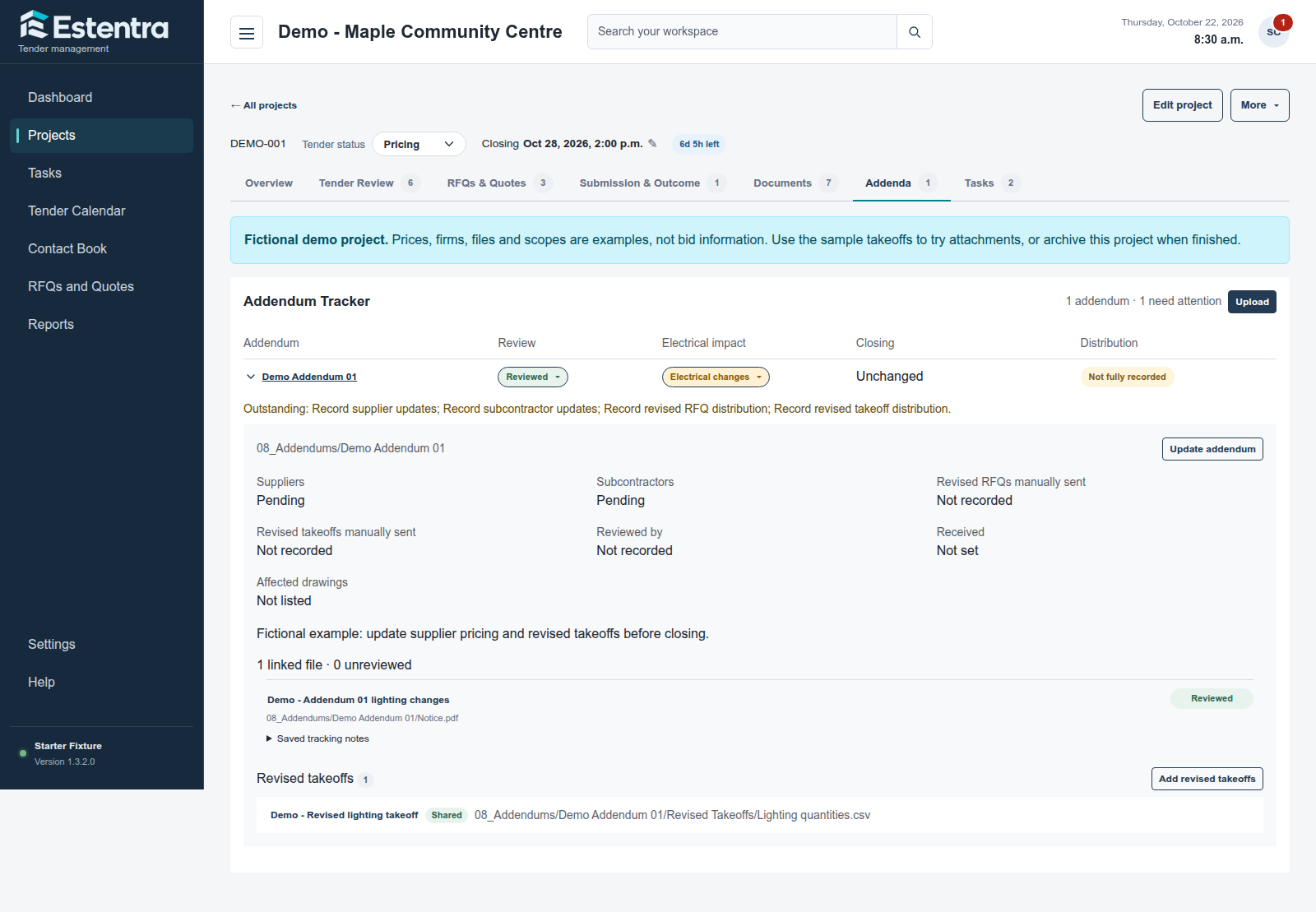
Track review, electrical impact, revised closing dates and manual supplier or subcontractor updates. Add revised takeoffs directly to the addendum package and keep them separate from the issued files being reviewed. New takeoffs added after recorded distribution are flagged for attention. Files marked Internal Only stay excluded from supplier document links and RFQ attachments.
A typical tender workflow
How the pieces fit together
An owner issues a folder of revised drawings and a new specification. Add the package to the project, place its folders where they belong, then classify the relevant files. Record the addendum and review which scope items or supplier requests need attention.
Common questions
Before you get started
Can I upload a folder with subfolders?
Yes. Folder uploads preserve subfolders within the destination you select in the project. You can organize and classify the documents afterward.
Will replacing a document keep earlier versions?
The document version workflow retains earlier revisions when you replace a file. Use that workflow when updating an existing document rather than uploading an unrelated new record.
Can I keep revised takeoffs with an addendum?
Yes. Open the addendum details and add revised takeoffs to its package. You can choose non-internal takeoffs as RFQ attachments, and the project document link includes available files not marked Internal Only. Sending remains manual through your own email app.