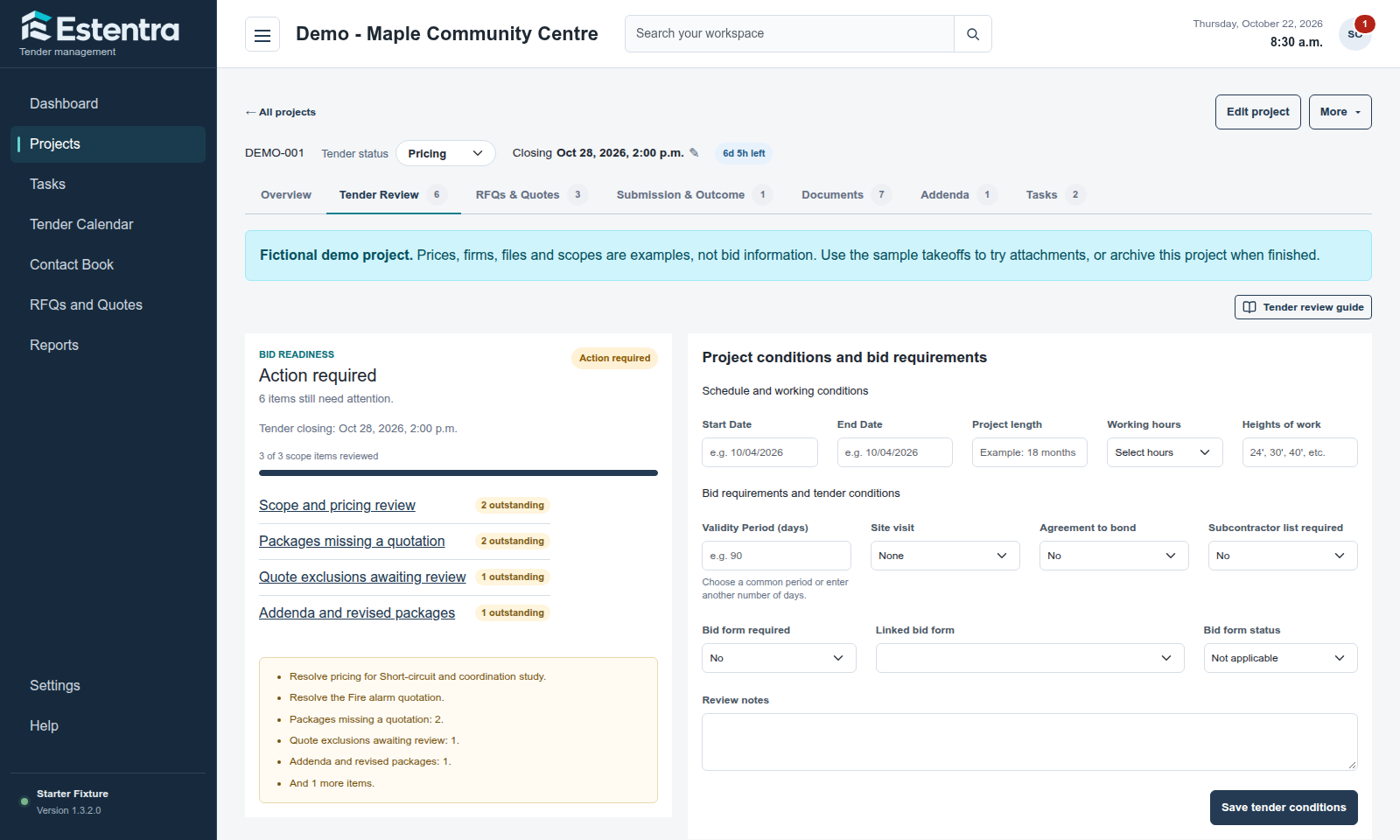
Closing dates, scope decisions and supplier responses should be easy to find when your team is preparing a bid. Estentra brings the tender record and its next steps into one project workspace.
Record the closing date and time, project type, square footage and budget during intake. Choose a standard setup, start empty or reuse a saved project template. Keep RFI deadlines and site visits alongside the project details so the team can see the dates that matter.
02 / WORKFLOW
Review scope with the bid in view
Use Tender Review to record required systems, approved manufacturers, supplier scope and quotation progress. Keep GC names and competitors in their own lists without creating a contact record for every name. Review action-required items before the tender closes.
03 / WORKFLOW
Give follow-up work a place to live
Use Tasks in the side navigation to see project tasks and general workspace to-dos together. Add notes, set priorities and edit tasks inline. Link a general task to a project when needed; dated tasks also appear on the calendar. Team roles and organization settings control who can change project dates.
A typical tender workflow
How the pieces fit together
A revised package arrives two days before closing. Your estimator reviews the addendum, updates the affected scope, checks outstanding supplier quotes and assigns the remaining task in the project. The closing details and follow-up work stay together.
Common questions
Before you get started
Does Estentra perform takeoff?
Estentra manages tender information and coordination. Use your takeoff and estimating tools for measurements and detailed pricing, then keep the related files and tender records in Estentra.
Can we reuse a previous tender setup?
Yes. Project templates can reuse tasks, required systems and tender settings. An empty setup is also available when you do not want preset Tender Review content.